Daz is a free, 3d rendering program. It is an extremely powerful program that can cross many different platforms such as zbrush, maya, marvelous designer, the list literally goes on.
Costs?
The base program is 100% free. It already comes with a good amount of things to get you started. Anything extra like special clothes, hair, figures, etc, you can buy from the Daz Studio Shop or other websites like Renderosity. (or you can make them yourself, if you know how. i’ve dappled in making clothes but beyond that, i’m blind)
Pretty fuckin sweet. I know.
Now, if you see yourself committing to this program and really diggin in like I have, I HIGHLY RECOMMEND BECOMING A PLATINUM MEMBER (PC+) on their website. I have saved SO MUCH FUCKING MONEY from doing this. It’s literally not a cashgrab (well it is) when they say that it literally pays for itself. IT FUCKING DOES.
Again, any extras cost. but the actual base program DOES come with a good handful of things that can get you started. So long as you’re creative, you can actually end up creating a lot of dope things just from the base program.
Learning curve?
Ho ho ho yes. But once you figure it out, its an extremely simple program. But it will take a while to learn. Once you do, its so rewarding.
Anything to be aware of? Yes.
This program takes up a LOT of space on your computer. For me, my laptop (with everything I’ve bought, created, and was making with large photoshop files and downloads for this program) could not handle it. So just keep in mind, if you are planning to commit, this takes up a LOT of memory.
with that being said, if you are just using it for its base uses, you’ll be perfectly fine on a standard laptop/computer.
And just as some extras for those that want to get started, here are some of my most versatile and favorite pacts – along with what i use them for. Keep in mind that the shop literally has sales every single day. If something I list is not on sale when you look at it, i guarentee it will be sometime during the month. ALSO, renderosity has a lot of clothes and other things for a lot cheaper than the official shop. However, downloading these things can be a bit difficult.*
Also, keep in mind, these things I suggest are because I end up painting all of my renders and changing things around. These are what I find to be the most versatile when it comes to references while I paint.
***Daz = automatic 30% off discount with membership. its. worth. it. also when daz goes on sale for everyone else, thats usually an extra 25% off. so with a membership and during the sale, things can go from 55%-65% off. its worth it. dont buy things on impulse. every single creator, even outside of daz, goes on sale. so literally, just wait. i guarentee within the next month that artist will pop up.
Here are some of my favorites from the official shop ( these will be split into ‘male’ and ‘female’. It’s just how it is on the website to make it easier for you to navigate this list):
my favorite skin pack for characters. There are ways to change skintone, etc. which I can explain in a video. but there are such beautiful colors in this skin. it is absolutely ridiculous. Beautiful reds and it renders like a god damned dream. I use this for males and females.
Another gorgeous skin pack. I use it for males and females. It also has a ‘no eyebrows’ option, which Drusilla does not. Very very handy, especially with their ‘fibermesh’ eyebrows and shape options.
Allows you to use female/male skins on opposite figures. this expands sooooo many possibilities. I personally prefer female skins over the male. they’re usually more luminous when painting.
HIGHLY RECOMMEND. Not only does this come with wet hair, but it also comes with wet skin. I used this for my Mermay painting. highly, highly recommend.
I use this all the time for male characters. I’ve used it many times for Andrew.
Clothes are completely up to you. most things are highly customizable with a few tricks. so i’m not going to list specific packs. but look out for ‘dforce’. dforce is a software (idk what its called) that daz studio uses to conform the clothing to the figures body under the ‘simulate’ tab. can be a bit tricky but highly rewarding. also when looking for clothing, make sure its compatible with the figure in order to make it look the best. (genesis 8 – genesis 8, genesis 3 – genesis 3, etc. i can make a video in the future to show how to make those things cross)
Accessories – same thing. just depends on what you would like.
as well as Environments. some things come with more than most. I would look on the ‘product pages’ for everything you look up. see what it comes with. and think ‘can i use this for something else in the future?’
Lighting:
Not NECESSARY but i feel make the render look best. these are my favs –
*I AM THINKING ABOUT MAKING A PATREON. On there, I can make Daz tutorials, painting tutorials, etc. Because I find a lot of videos online are literally so long winded with all these fancy ass terms that I literally ended up just slaving away and figuring everything out on my own. So if yall would like that, let me know!
Yes, we haven’t done this in a while… but our inbox and chat are swamped with questions on the subject, so this article was very much needed.
it’s a simple list of art apps, but we know you love those 😀
Enough with the intro, here it is, a list of twelve art apps you may want to check out.
ArtRage is an art program for beginners and professionals. With its minimal interface, it’s easy to keep the essential tools at hand without stealing space from the canvas. Panels can be moved around and tools can be customised. We all know how important it is for digital artists to be able to modify brushes!
Pros: easy to use; friendly interface; essential tools from professional apps available; available for iOS, Android, Windows and Mac
Cons: it may get sluggish with big files and when using big brushes, but performances also depend on the running machine; limited selection of editing tools if compared to Photoshop – ArtRage is more of a painting program rather than an editing one.
Paid
ArtRage Lite is a different version at a cheaper price, mostly for beginners, but also for professionals if they need the essential.
Now free, Sketchbook is the famous app created by Autodesk for various platforms.
Pros: clean, friendly interface; easy to use; professional features
Cons: lack of official tutorials; doesn’t offer as many tools as other apps (it’s down to the essential); paid subscription in Adobe style for multiple licenses
Free and paid
Black Ink is a powerful little program few actually know, but there’s a reason: this isn’t your classing drawing app. What’s cool about it is the vast selection of special brushes, completely non-realistic, and definitely able to boost your creativity.
Pros: vast selection of customisable brushes; excellent performance
Cons: not very easy to use; non-intuitive interface
Paid
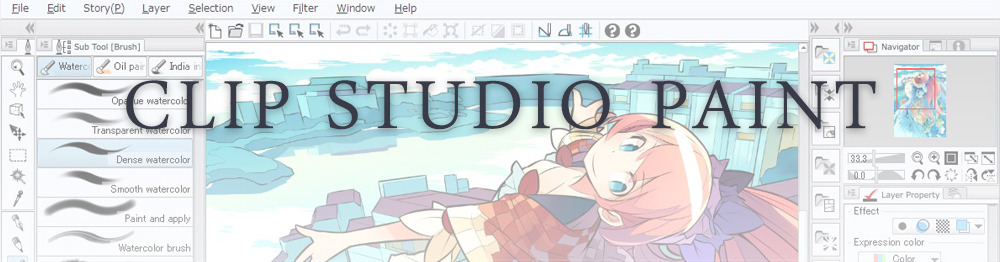
This is probably the most complete software for painting, drawing and animation. It was originally known as Manga Studio, but with its updates and addition of features, it became Clip Studio Paint.
This doesn’t say much about the quality of the features themselves considering the affordable price (if you haven’t used the app yet, that is), but among graphic apps, this one is the top seller.
Pros: professional features for illustrators; layout tools for comic/manga artists; 3D reference models; customisable tools; various sales with special prices
Cons: the interface may not appear intuitive at first; the program may lag (again, performance also depends on the running machine)
Paid
GIMP is the famous open source image editor originally created for GNU/Linux and available for OS X and Windows.
Best known as Photoshop’s main competition, this is a manipulation program for both beginners and professionals who love design.
It offers many professional features, making the program a powerful tool.
Pros: professional editing tools; supports different formats; supported by different platforms; active community
Cons: in spite of the simple design, many options are hidden and it takes time to discover all the features; slow startup
Free
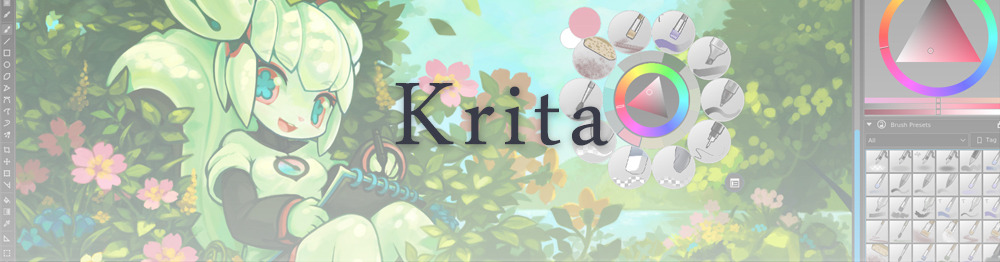
Krita is an open source painting app created by artists for artists.
Pros: easy to use; intuitive interface; great brush workflow; brush stabilizer; customisable brushes; general good performance; very enthusiastic, although small, community
Cons: it may be slow or even crash depending on the running computer and the app’s version; very few editing tools compared to Photoshop
Free
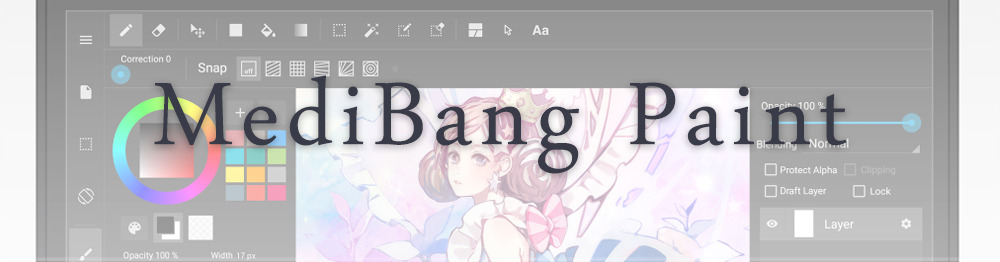
MediBang Paint is a free and light app for drawing and painting, perfect for manga and comic creation.
Pros: vast selection of brushes; cloud sharing; friendly, minimal interface (non-desktop app); also available for iPad, iPhone and Android
Cons: requires an account to use all features; non-intuitive interface (desktop version)
Free
Mischief is a sketching app with essential tools, useful for brainstorming and ideation.
Pros: infinite drawing canvas; friendly interface; easy to use; cheap pro version
Cons: few updates; offers only the essential (but that’s the point); no editing/adjustment tools
Free and paid
Corel’s jewel, Painter is the most famous software that offers digital tools able to give a traditional feel to brushes and canvas.
Pros: different selection of media; many professional features; PS-friendly
Cons: certain brushes may work slow; not easy to use at first; the software may crash (this is the most common report); pricey
Paid
Paintstorm Studio is a professional software for digital painting. It’s focused on the use of brushes and blending, which makes the software a little gem in the digital painting field.
Pros: good brush workflow; brush stabilizer; “close gap” feature; customisable interface and tools; professional features; affordable price
With the very sensitive Apple Pencil, Procreate is so easy to use that many artists chose the iPad over the most famous graphic tablets.
Pros: friendly interface; makes it easy to organise files; excellent brush workflow; customisable brushes; video recording; affordable price
Cons: hidden features; only available for iPad
Paid
SAI is a simple app for artists who want to focus on painting and drawing.
It’s well known for its good pressure support and its essential tools for manga artists, but SAI can be used by any kind of artist who wants to paint.
Pros: easy to use; friendly interface; light software; customisable brushes; tons of (non-official) tutorials
Cons: limited selection of tools, even basic ones; limited canvas sizes and uses; it might crash from intensive work, especially with big canvases and brushes; supports only RGB colour mode; lack of support
Paid
We hope you’ll find this list useful.
If you think there are other apps that should have made this list, don’t hesitate to let us know!
hey!! sorry to hijack this post, but there are a bunch of ways you can make videogames without knowing shit about computers!!
for starters, there’s Twine, which is fucking great for making all kinds of interactive experiences (it’s what Crystal Warrior Ke$ha was made in so you KNOW it’s good) at all skill levels (i picked it up and made a game in two minutes a few nights ago)
if you want a bit more involved experience there’s Inform 7 which is a simple language for text-based adventure games that reads like slightly-weird English and also relatively easy to learn
you can do some pretty fucking cool stuff with Unity (my personal engine of choice) but you may need to dig a bit farther to get at the good stuff. there’s lots of really good presets though (i made an entire game just mixing and matching pre-existing templates and adding in my own art, won an award at a game jam for that one) and if you want help the community’s pretty dang friendly from what i’ve seen!
this is just a taste of what’s out there from what i’ve seen, but there’s so many cool resources out there. if anyone wants help getting started, i’m around to give you a leg up on making something in the coolest, most unexplored art medium around!
I’m addin’ to this post because lowering the barrier to entry for making games is super important to me!!!! If y’all have any questions about making games, you’re welcome to come and ask! I made this list a while back with some friends, so it has some of the programs John already mentioned.
2D Editors:
GameMaker : Potential for pure drag-and-drop “programming”. It is recommended to read-up on the program’s functions to make good use of it. Good for prototyping. Uses its own language called Game Maker Language (GML) that is similar to a C language (e.g. C++ or C#). For both Mac and PC; free version available.
Construct2 : Drag and drop level editor that uses an “If-Then” event sheet structure for programming. Good for prototyping and for beginners. For PC; free version available.
GameSalad : Drag and drop with no code requirement. Good for programming. For both Mac and PC; free version available.
Solpeo : HTML5 based game engine for 2D and isometric game development. Some programming knowledge needed. Platforms supported: Chrome, Firefox, Internet Explorer 9+. Free version available.
Stencyl : Drag and Drop “programming,” templates you can edit the variables/values for.
Scratch : Lego-block-style coding platform by MIT; totally free and a great intro to thinking in code. Very kid-friendly and comes with a community site. Browser version available.
3D Editors:
Unity : 3D editor that creates 3D games. Can build games for browser, as an app, or for mobile devices (iOS and Android). For both Mac and PC; free version available.
UDK (Unreal Development Kit) : Full-fledged, highly advanced editor. Features a complete set of tools that go from level design to visual scripting to cut-scene creation. Uses it’s own programming language called Unreal Script that can be arranged with Kismet, a visual code editor. For Mac and PC; free.
2D Art/Animation Software:
GIMP : Free photo editing and digital painting software.
Easy Paint Tool SAI : Free digital painting software with a UI similar to Photoshop.
Mischief : Free digital painting software with an endless canvas.
3D Art/Animation Software:
Sculptris : From the company that created Zbrush, this free software is ideal for beginning 3D sculptors.
Maya : Animation, VFX, lighting, and rendering software.
Magical Voxel : Voxel Art (3D Pixel Art). Very intuitive and quick to pick up.
SketchUp : Architectural modeling software, great for creating 3D environments and buildings. Free version available.
Text-Based Games:
Twine : Create interactive text stories using Twine’s visual map system that links your game together. Easy to learn and use. End result is browser-based. For Mac and PC; free.
Quest : Interactive text stories that you can build in-browser.
Ren’Py : Create visual novels using a modified version of Python that reads like a combination of stage directions and a CYOA novel. For PC, Mac, and Linux; free.
Audio Resources/Editors:
Indie Game Music : This site offers free indie music with no need to worry about royalties or licenses.
Audacity : A free, open-source, cross-platform sound editor that allows you to record and arrange sound.
Super Flash Bros. : This site allows you to record theremin-like (8bit) sounds and export them as .wav files for your games.
But what if half your ocs are softys and not made for fighting?
dating sim
this post changed the game
Hey btw if you don’t know how to program, you should check out [novelty], which is a free Visual Novel creation software. Absolutely no programming required, and it’s super easy to use, I played with it some when I was a teen but the only reason I didn’t do much with it is cuz I made my story complicated and had like 5000 different branching routes that kept spawning new routes and made myself confused LMAO
But yeah, it’s a WYSIWYG with a really straight-forward GUI, if I remember correctly.
It even comes with some free backgrounds and characters and stuff, and this is what it looks like:
Did I mention it’s super duper free? It hasn’t been updated since 2010, but it has basically all you’d need to make a simple visual novel.
Just make sure your DirectX runtime is updated, cuz it can act buggy if it’s outdated, but this program is so old that I doubt it’d even be an issue lol
HEY THIS IS IMPORTANT whats your favorite place to find drawing references?
so far we’ve got
senshi stock
croquis cafe
line-of-action.com
quickposes.com
posemaniacs
clip studio paint models
pexels.com
sketchdaily
eggazyoutatsu atarichan drawer
designdoll
if you have any more please reply!
Unsplash: All photos published on Unsplash can be used for free. You can use them for commercial and noncommercial purposes. You do not need to ask permission from or provide credit to the photographer or Unsplash, although it is appreciated when possible. More precisely, Unsplash grants you an irrevocable, nonexclusive copyright license to download, copy, modify, distribute, perform, and use photos from Unsplash for free, including for commercial purposes, without permission from or attributing the photographer or Unsplash. This license does not include the right to compile photos from Unsplash to replicate a similar or competing service.
Freeimages: You can use the images in digital format on websites, blog posts, social media, advertisements, film and television productions, web and mobile applications. In printed materials such as magazines, newspapers, books, brochures, flyers, product packaging for decorative use in your home, office or any public place or personal use. The rights granted to you by FreeImages.com are: Perpetual, meaning there is no expiration or end date on your rights to use the content. Non-exclusive, meaning that you do not have exclusive rights to use the content. FreeImages.com can license the same content to other customers. Unlimited, meaning you can use the content in an unlimited number of projects and in any media. For purposes of this agreement, “use” means to copy, reproduce, modify, edit, synchronize, perform, display, broadcast, publish, or otherwise make use of.
Stocksnap: Every single image on StockSnap are governed exclusively by the generous terms of the Creative Commons CC0 license. Specifically, that license means you can do any and all of the following: Download the image file.Publish, revise, copy, alter, and share that image. Use the image (as-is or as you’ve altered it), in both personal and commercial contexts. Moreover, you can put StockSnap CC0 images to any of these usages without buying the right to do it, acquiring written permission from the image’s creator, or attributing the work to the image creator. In other words, there’s no fee to download or use these StockSnap images in accordance with the CC0 license. They’re free to download, free to edit, and free to use – even in a commercial project! You don’t even need to attribute the image to the creator, the way you do with other CC or traditional copyright licensing schemes. (However, even though it’s not required, we here at StockSnap do encourage you to include an appropriate attribution. It’s a nice thing to do.)
Burst.Shopify: Burst is a free stock photo platform that is powered by Shopify. Their image library includes thousands of high-resolution, royalty-free images that were shot by their global community of photographers. You can use their pictures for just about anything — your website, blog or online store, school projects, Instagram ads, facebook posts, desktop backgrounds, client work and more. All of their photos are free for commercial use with no attribution required.
Pixabay: Images and Videos on Pixabay are released under Creative Commons CC0. To the extent possible under law, uploaders of Pixabay have waived their copyright and related or neighboring rights to these Images and Videos. You are free to adapt and use them for commercial purposes without attributing the original author or source. Although not required, a link back to Pixabay is appreciated.
Viintage: All images hosted by Viintage.com are considered to be public domain images, each image is presumed to be in the public domain. It may be distributed or copied as permitted by applicable law. Viintage.com assumes no ownership of the images and they may be downloaded and can be used free of charge for any purpose. They may be downloaded and used for commercial and personal use. Understand “public domain” as the permission to freely use an image without asking permission from the photographer or the illustrator. Thus, the creator of the work will not sue you for violating his/her copyrights. It is your responsibility to make sure, displaying the image does not violate any other law. Viintage.com assumes no responsibility for how or where you use the images found on the site.
Gratisography: You may use Gratisography pictures as you please for both personal and commercial projects. You can adapt and modify the images and get paid for work that incorporates the pictures. This includes advertising campaigns, adding your logo or text to an image, printed in any size print runs (e.g., book covers, magazines, posters, etc.), on your website, blog, or other digital mediums, and on merchandise as long as the picture itself is not the merchandise.
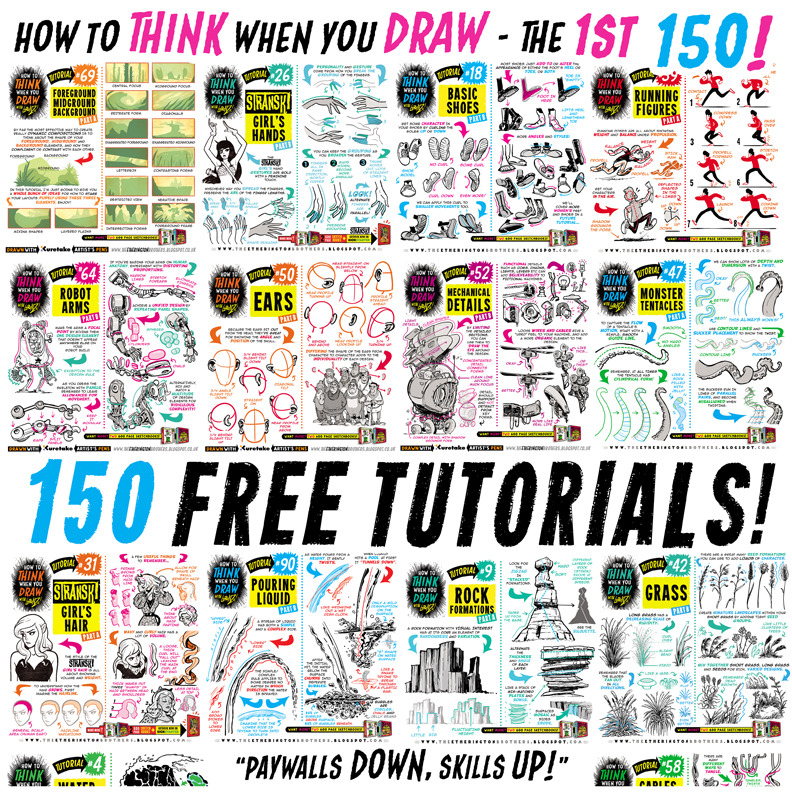
For those of you that like everything neatly organised, here’s links to EVERY ONE of my first 150how to THINK when you draw TUTORIALS, in ALPHABETICAL ORDER for#SkillUpSunday!Enjoy, link, pin, share! Cheers!
THAT FIRST SITE IS EVERY WRITER’S DREAM DO YOU KNOW HOW MANY TIMES I’VE TRIED WRITING SOMETHING AND THOUGHT GOD DAMN IS THERE A SPECIFIC WORD FOR WHAT I’M USING TWO SENTENCES TO DESCRIBE AND JUST GETTING A BUNCH OF SHIT GOOGLE RESULT





 Astronaut bird