me giving affection: oh man i really hope im not like overstepping my boundaries here. what if i make them uncomfortable? do they feel obligated to say thank you? am i going too far and scaring them? what if i’m annoying?
me receiving affection: AAAAAAAAA!!!!! AAAAAAA!A!!!!!!!AAAAAAAAAAAA
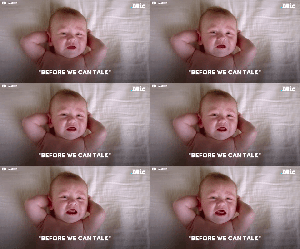
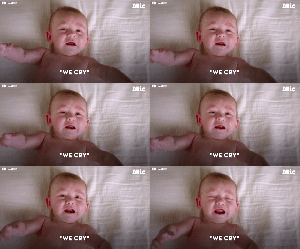
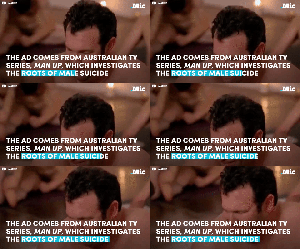
this is so great. fuck toxic masculinity. we need something like this stateside (x) | follow @this-is-life-actually
i love this so much
for all my quiet & reserved men going thru it i love u all
This!!!! Spread this message around. Crying is good!!!!
Crying is not female thing, crying is a human thing, and an animal thing, and, I dunno, maybe an alien thing too. Have a cry if you feel like it, dudes!
I hardly see any heroic posts about Muslims on here, so here you go.
I love that it takes the time to specify that his attack of choice was a flying kick
The hero the world needs
I remember this. But I feel we’re missing some key points. When it happened, he was out jogging with his puppy:
He heard screams and sprinted towards them. He jumped a fence, saw a man pinning a woman down and immediately fly-kicked him in the face, knocking him out. He then gave the woman his jacket because her dress was ripped and got her a taxi home. She only managed to get in contact with him and tell the papers cause she later found his driver’s license in the pocket of the jacket.
“If I see a person in danger then I will intervene. I would not want to ignore it and then read the next day that a woman had been raped or murdered.”
And his message to the attacker:
“He is a coward and a man with no morals. I won’t forget his face.”
Glaswegians will always fly kick someone I swear. Good on him.
Something else I love about this is that they’re calling the rapist a “beast” because that is an appropriate word to use for someone who would do something that horrible instead of showing him any form of sympathy or humanizing him
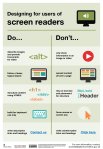
The dos and don’ts of designing for accessibility are general guidelines, best design practices for making services accessible in government. Currently, there are six different posters in the series that cater to users from these areas: low vision, D/deaf and hard of hearing, dyslexia, motor disabilities, users on the autistic spectrum and users of screen readers.
[…] Another aim of the posters is that they’re meant to be general guidance as opposed to being overly prescriptive. Using bright contrast was advised for some (such as those with low vision) although some users on the autistic spectrum would prefer differently. Where advice seems contradictory, it’s always worth testing your designs with users to find the right balance, making compromises that best suit the users’ needs.
I’ve been wanting something like this to reference! Boosting for the others that like to dabble in code/design.
This is some of the most lucidly written accessibility advice I’ve seen. Making accessible web pages should be the default, not an add-on. It’s really not that hard to do, especially when you think about it from the start – and it benefits everyone.
(Obligatory note that there are exceptions to some of these guidelines, e.g., “bunching” some interactions together is an important way to cue which interactions are related to each other, but that’s why these are guidelines, not absolute rules.)
young web designer: thank you oh my god no one has been able to explain this quite as well and this is just good shit
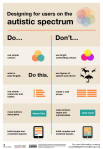
make buttons descriptive – for example, Attach files
build simple and consistent layouts
Don’t
use bright contrasting colours
use figures of speech and idioms
create a wall of text
make buttons vague and unpredictable – for example, Click here
build complex and cluttered layouts
Designing for users of screen readers
Do
describe images and provide transcripts for video
follow a linear, logical layout
structure content using HTML5
build for keyboard use only
write descriptive links and heading – for example, Contact us
Don’t
only show information in an image or video
spread content all over a page
rely on text size and placement for structure
force mouse or screen use
write uninformative links and heading – for example, Click here
Designing for users with low vision
Do
use good contrasts and a readable font size
publish all information on web pages (HTML)
use a combination of colour, shapes and text
follow a linear, logical layout -and ensure text flows and is visible when text is magnified to 200%
put buttons and notifications in context
Don’t
use low colour contrasts and small font size
bury information in downloads
only use colour to convey meaning
spread content all over a page -and force user to scroll horizontally when text is magnified to 200%
separate actions from their context
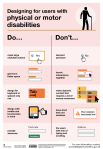
Designing for users with physical or motor disabilities
Do
make large clickable actions
give form fields space
design for keyboard or speech only use
design with mobile and touch screen in mind
provide shortcuts
Don’t
demand precision
bunch interactions together
make dynamic content that requires a lot of mouse movement
have short time out windows
tire users with lots of typing and scrolling
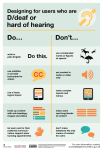
Designing for users who are D/deaf or hard of hearing
Do
write in plain English
use subtitles or provide transcripts for video
use a linear, logical layout
break up content with sub-headings, images and videos
let users ask for their preferred communication support when booking appointments
Don’t
use complicated words or figures of speech
put content in audio or video only
make complex layouts and menus
make users read long blocks of content
don’t make telephone the only means of contact for users
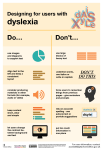
Designing for users with dyslexiaDo
use images and diagrams to support text
align text to the left and keep a consistent layout
consider producing materials in other formats (for example, audio and video)
keep content short, clear and simple
let users change the contrast between background and text
Don’t
use large blocks of heavy text
underline words, use italics or write capitals
force users to remember things from previous pages – give reminders and prompts
rely on accurate spelling – use autocorrect or provide suggestions
put too much information in one place
End of images descriptions]
Passionate shoutout to ^ @studyinthemoon ^ for realizing that maybe, just maybe, posts talking about online accessibility should be accessible! Idiots.
I do think part of the point is to be able to print the posters. I think they are also aimed at telling abled people what to do; the rest of us are likely to know most of these tips. Also, this is a good time to talk about competing access needs!
Sometimes what helps one person makes the thing less accessible to another person. Writing out the posters in plain text helps people who need screen reading software or scaleable text magnification to read. However, long lists with no visuals are harder for most other people to read, especially for people with learning disabilities or processing disorders. (And tumblr’s handling of lists doesn’t help.) Including both options when possible is best!
In fact, the list is about designing different things for different needs. A good site design will try to combine as many things as possible, especially for an all-access site like a library home page, but if you’re specializing—say, a site for teaching autistic people useful scripts for everyday life, Duolingo-style (and seriously if there aren’t sites like that aimed at adults there should be)—you can tailor that design more to that group specifically. (Though such a site would also mean needing accessibility for motor issues and HoH people by default, because that’s so common with autism. I like big buttons to click and simultaneous text and audio. Honestly, the audio can go faster than normal listening if I have text, I just need to hear pronunciation and tone.)
So basically we need both the text caption and images in this post. Let’s try to make things as accessible as possible, with breadth of accessibility as well as basic standards for each type of access.
as a general rule. if what we’re calling ‘cultural appropriation’ sounds like nazi ideology (i.e. ‘white people should only do white people things and black people should only do black people things’) with progressive language, we are performing a very very poor application of what ‘cultural appropriation’ means. this is troublingly popular in the blogosphere right now and i think we all need to be more critical of what it is we may be saying or implying, even unintentionally.
There is nothing wrong with everyone enjoying each other’s cultures so long as those cultures have been shared.
Eating Chinese food, watching Bollywood movies, going to see Cambodian dancers, or learning to speak Korean so you can watch every K drama in existence is totally fine. The invitation to participate in those things came from within those cultures. The Mexican family that owns the place where I get fajitas wants me to eat fajitas. Their whole business model kind of depends on it, actually.
If you see something from another culture you think you might want to participate in, but you don’t know if that would be disrespectful or appropriative, you can just…ask. Like. A Jewish friend explained what a mezuzah was to me, recently. (It’s the little scroll-thing near their front doors that they touch when they come into their house. It basically means “this is a Jewish household.”)
“Oh, cool,” I said. “Can I touch it? Or is it only for Jewish people?”
“You can touch it or you can not touch it,” she said. “I don’t care.”
“Cool, I’m gonna touch it, then.”
“Cool.”
It’s not hard.
You want to twerk, twerk. I’ve never heard a black person say they didn’t think anybody else should be allowed to twerk. Just that they want us to acknowledge that they invented that shit, not Miley fucking Cyrus.
this is a good post.
Thank you, I was trying to sort this out in my head but you explained it very well.
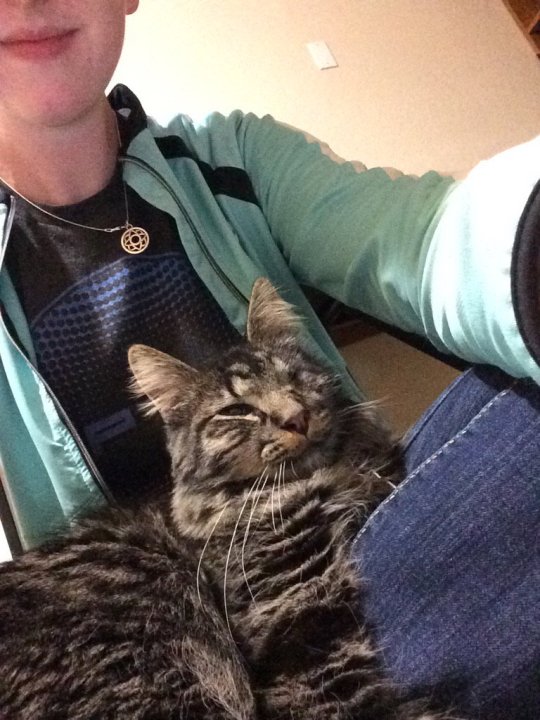
Step one: let him hide or shy away from you if he wants to. He wouldn’t let me touch him for a couple days after we got back from the shelter. His comfort was more important than me getting to touch him.
Step two: make yourself nonthreatening. In my case this meant being very quiet, bringing food and lying down on the ground within his eyesight as an invitation to investigate.
Step three: watch his body language and don’t do things that make him uncomfortable. Turns out my cat often bit when he was overstimulated so I made sure not to overwhelm him.
Step four: draw lines, but not with brute force. Even though his biting wasn’t meant to hurt, I wanted to make sure he wouldn’t injure anyone in the future. So I decided when he bit me, I’d yelp “ow!” And then withdraw all physical contact for a few minutes, sometimes leaving the room. Now he never bites, but sometimes he puts his teeth on my hand and then thinks better of it.
Step five: provide a good outlet for destructive behaviors. Aka PLAY WITH HIM, SEVERAL TIMES A DAY.
Step six: be patient.
Step seven: get lucky and somehow pick up the best cat in the entire shelter. I don’t know how it happened but he’s a godsend. He’s literally cuddled me out of a panic attack. We both really needed each other.












 Astronaut bird